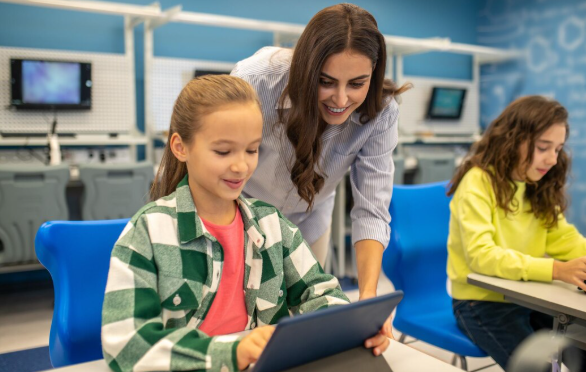
Technology has become an important part of modern classrooms, home study, and professional training. Gadgets education refers to the purposeful use of digital devices to support teaching, learning, research, communication, creativity, and skill development. From laptops and tablets to interactive displays, smart pens, digital microscopes, robotics kits, and virtual reality devices, technology can give learners new ways to understand and practice difficult concepts.
The goal is not simply to place more screens in front of students. Effective educational technology begins with a learning objective and then selects a device that can help achieve it. When used thoughtfully, gadgets can make lessons more interactive, accessible, flexible, and engaging while still allowing traditional methods such as books, handwriting, discussion, experiments, and face-to-face instruction to remain important.
What Are Educational Gadgets?
An educational gadget is a digital or electronic device used for a meaningful learning purpose. A device does not automatically become educational simply because it is marketed toward students.
For example, a tablet used primarily for entertainment has limited educational value. The same tablet can become an effective learning tool when it is used to read digital textbooks, complete interactive exercises, conduct research, create presentations, practice languages, or participate in online classes.
Educational gadgets can include:
- Laptops and Chromebooks
- Tablets
- E-readers
- Smart pens
- Interactive displays
- Digital microscopes
- Scientific calculators
- Document cameras
- Headphones
- Robotics kits
- Coding devices
- Virtual reality headsets
- Assistive technology devices
The most effective choice depends on the student’s age, academic needs, learning environment, and budget.
Why Technology Matters in Modern Education
Digital devices can expand the ways students interact with information. Instead of relying exclusively on textbooks and lectures, learners can use video, audio, simulations, interactive models, digital documents, and collaborative tools.
Research and recent educational technology discussions commonly highlight benefits such as accessibility, engagement, personalized learning, and flexible access to resources.
Better Access to Information
A single device can provide access to digital libraries, educational websites, reference materials, online courses, and classroom resources.
Students can research topics quickly and explore additional explanations when a textbook does not provide enough detail.
More Interactive Lessons
Interactive technology can turn a passive lesson into an activity.
For example, instead of simply reading about the human body, students might explore a three-dimensional model. Instead of only reading about geography, they can examine digital maps and virtual environments.
Flexible Learning
Digital devices support learning in classrooms, at home, in libraries, and during online courses. Students can review recorded lessons, access digital materials, and complete assignments outside traditional classroom hours.
Personalized Learning
Technology can allow students to work at different speeds. Some learners may need additional practice, while others may be ready for more advanced material.
Digital platforms can provide repeated exercises, adjustable content, audio support, captions, and other features that accommodate different learning needs.
Best Gadgets for Students
There is no single device that is best for every learner. The right choice depends on what the student needs to accomplish.
| Gadget | Best Use | Main Advantage | Consideration |
|---|---|---|---|
| Laptop | Research, writing, coding | Versatile | Usually more expensive |
| Tablet | Reading and interactive lessons | Portable | May have limited software |
| E-reader | Digital books | Focused reading | Limited multimedia |
| Smart pen | Note-taking | Connects handwriting with digital tools | Requires compatible system |
| Headphones | Online learning | Improves audio focus | Comfort and safety matter |
| Calculator | Mathematics and science | Fast calculations | Subject-specific |
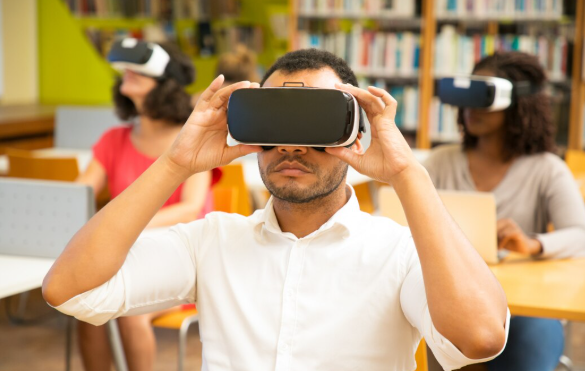
| VR headset | Simulations | Immersive experiences | Cost and supervision |
| Robotics kit | STEM projects | Hands-on learning | Requires guided activities |
Laptops
Laptops are among the most versatile educational devices. They can support writing, research, presentations, programming, online classes, video editing, and collaborative projects.
Students who need specialized software should check compatibility before purchasing a device.
Tablets
Tablets are lightweight and convenient for reading, drawing, interactive exercises, and video lessons. They can be particularly useful for students who frequently move between classrooms or study locations.
A keyboard or stylus can also expand a tablet’s usefulness.
E-Readers
E-readers are designed primarily for reading digital books. Their focused design can be helpful for students who want fewer distractions while working through long reading assignments.
Smart Pens
Smart pens can help students combine handwritten notes with digital organization. They may be particularly useful for learners who prefer writing by hand but also want searchable or digitally stored notes.
Gadgets for Classroom Teaching
Educational technology is not only for students. Teachers can use digital devices to explain concepts, organize lessons, demonstrate experiments, and encourage participation.
Interactive Displays
Interactive displays can replace or supplement traditional boards. Teachers can display diagrams, maps, presentations, videos, and interactive activities.
Students may also interact directly with the content during classroom activities.
Document Cameras
A document camera allows an instructor to display a physical object, worksheet, book page, experiment, or handwritten example to the entire class.
This can be useful when demonstrating step-by-step work.
Digital Microscopes
Digital microscopes can display magnified images on a computer or classroom screen. Instead of one student looking through an eyepiece at a time, a group can observe the same image together.
Robotics and Coding Kits
Robotics kits can turn programming concepts into hands-on activities. Students can build, test, troubleshoot, and modify projects while developing logical thinking and problem-solving skills.
How Gadgets Support Different Subjects
Technology can be adapted to many academic areas.
Science
Digital microscopes, simulations, sensors, models, and virtual laboratories can help students explore scientific concepts.
Mathematics
Calculators, interactive graphing tools, educational applications, and digital practice platforms can support mathematical learning.
Language Learning
Audio recordings, pronunciation tools, interactive exercises, and digital reading materials can provide additional opportunities for language practice.
History and Geography
Digital maps, virtual tours, historical archives, documentaries, and interactive timelines can help students explore places and events beyond the traditional textbook.
Art and Design
Tablets with styluses, digital drawing applications, cameras, and editing software can give creative students additional ways to develop their skills.
Benefits of Using Technology for Learning

When selected and used correctly, educational devices can provide several advantages.
Increased Engagement
Interactive activities can encourage students to participate rather than simply listen.
Immediate Feedback
Many digital learning platforms can provide feedback immediately after an exercise. This allows students to identify mistakes and try again.
Collaboration
Students can work together on presentations, documents, coding projects, research assignments, and multimedia projects.
Creativity
Digital tools can support photography, video production, animation, graphic design, music production, and other creative activities.
Accessibility
Technology can provide features such as captions, text-to-speech, adjustable text sizes, digital formats, and other accessibility options.
This can help learners access educational material in ways that suit their individual needs.
Choosing the Right Educational Device
Buying technology for school should begin with the learning requirement rather than the product’s popularity.
Consider the Student’s Age
Young children may need simple, durable devices, while university students may require more powerful hardware for specialized applications.
Check School Requirements
Some schools require specific operating systems, applications, file formats, or learning platforms.
Checking these requirements before purchasing can prevent compatibility problems.
Think About Portability
A student who carries a device between classes every day may prioritize weight and battery life.
Someone using a device primarily at home may care more about screen size and performance.
Consider Total Cost
The purchase price is not always the complete cost.
Also consider:
- Protective cases
- Keyboards
- Styluses
- Chargers
- Software subscriptions
- Cloud storage
- Repairs
- Extended warranties
A less expensive device may ultimately be more practical if it meets all necessary requirements.
Creating Healthy Technology Habits
More technology does not automatically mean better learning. Students need healthy habits to make digital study productive.
Reduce Distractions
Notifications, social media, games, and unrelated websites can interrupt concentration.
During study sessions, unnecessary notifications should be disabled whenever possible.
Take Regular Breaks
Long periods of screen use can cause discomfort and fatigue. Students should regularly change position, look away from the screen, and take appropriate breaks.
Balance Digital and Offline Learning
Students should continue to read printed books, write by hand when useful, participate in discussions, conduct physical experiments, exercise, and engage in activities away from screens.
Technology should complement learning rather than replace every traditional method.
Digital Safety and Responsible Use
Students should also learn how to use technology responsibly.
Important habits include:
- Use strong passwords.
- Keep software updated.
- Avoid suspicious links.
- Protect personal information.
- Use secure networks.
- Verify information before accepting it as accurate.
- Respect copyright.
- Communicate appropriately online.
- Follow school technology policies.
- Keep devices physically secure.
Privacy is particularly important when educational platforms collect student information.
Common Challenges of Educational Gadgets

Despite their benefits, digital devices can create challenges.
Distraction
The same device used for schoolwork can also provide access to entertainment and social media.
Screen Fatigue
Extended screen use can contribute to tiredness and discomfort.
Unequal Access
Not every student has access to the same quality of devices, internet connections, or software.
Technical Problems
Battery failures, connectivity issues, software errors, and broken equipment can interrupt lessons.
Cost
Advanced educational devices can be expensive, especially when accessories and subscriptions are added.
These challenges can be reduced through careful planning, appropriate policies, technical support, and responsible use.
How Teachers Can Use Gadgets Effectively
Teachers should introduce technology when it improves the learning experience rather than using it simply because it is available.
A useful process is:
Identify the learning goal → Choose the appropriate tool → Explain how to use it → Let students practice → Assess the outcome.
For example, if the goal is to understand a scientific process, an interactive simulation may be useful. If the goal is handwriting practice, a digital device may not be the best solution.
The technology should serve the lesson rather than become the lesson.
Future Trends in Educational Technology
Educational devices are continuing to evolve. Artificial intelligence, augmented reality, virtual reality, robotics, wearable technology, and increasingly interactive learning platforms are expanding the possibilities for digital education.
AR and VR can provide immersive experiences, while AI-powered systems can potentially support personalized practice and feedback. Recent educational technology coverage has also highlighted these tools as emerging areas of classroom innovation.
However, new technology should be evaluated carefully. A device can be impressive without being educationally effective.
Teachers, parents, and institutions should ask a simple question: Does this technology help students understand, practice, create, or communicate more effectively?
If the answer is yes, the technology may have genuine educational value.
Key Points to Remember
- Educational gadgets should serve a clear learning purpose.
- Laptops and tablets are among the most versatile student devices.
- Interactive displays can make classroom lessons more engaging.
- Robotics and coding kits support hands-on STEM learning.
- Digital tools can improve accessibility and flexibility.
- Technology can support collaboration and creativity.
- The most expensive device is not necessarily the best choice.
- Students need healthy screen habits and regular breaks.
- Digital safety and privacy should always be considered.
- Technology works best when combined with effective teaching and traditional learning methods.
Final Thoughts
Educational gadgets can provide students and teachers with powerful ways to access information, practice skills, communicate, create projects, and explore difficult concepts. From simple tablets and laptops to digital microscopes, robotics kits, interactive displays, and immersive technologies, there are now more options than ever.
However, successful technology use depends less on the number of devices and more on how thoughtfully they are used. A simple device connected to a clear educational goal can be more useful than expensive technology without a defined purpose.
The best approach is to choose technology according to the learner’s needs, maintain healthy digital habits, protect privacy, and preserve a balance between screen-based and hands-on learning. When these principles are followed, gadgets can become valuable additions to modern education.
Frequently Asked Questions
1. What are the most useful gadgets for students?
Laptops, tablets, e-readers, smart pens, headphones, calculators, and specialized STEM devices can all be useful. The best option depends on the student’s age, subjects, school requirements, and budget.
2. Can gadgets improve classroom learning?
Yes. They can make lessons more interactive, provide multimedia explanations, support collaboration, offer immediate feedback, and give students access to additional learning resources.
3. Are educational gadgets suitable for young children?
They can be useful when age-appropriate and supervised. Parents and teachers should focus on educational content, healthy screen habits, safety, and a balance between digital and offline activities.
4. What should parents consider before buying a learning device?
Parents should consider the student’s needs, school requirements, device compatibility, durability, battery life, portability, software availability, security features, and the total cost of ownership.
5. Can technology replace traditional teaching methods?
Technology is most effective as a supplement to good teaching rather than a complete replacement. Books, discussions, writing, experiments, physical activities, and teacher guidance remain important parts of a balanced learning experience.